


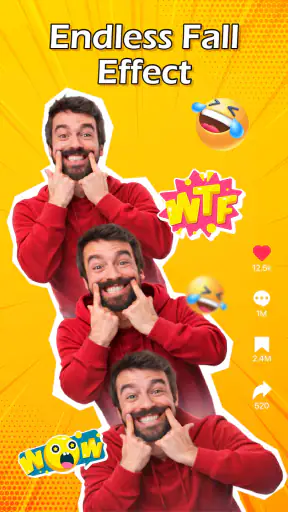
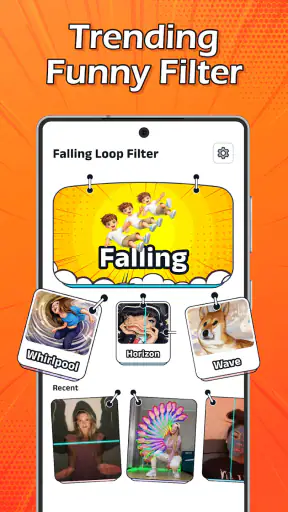
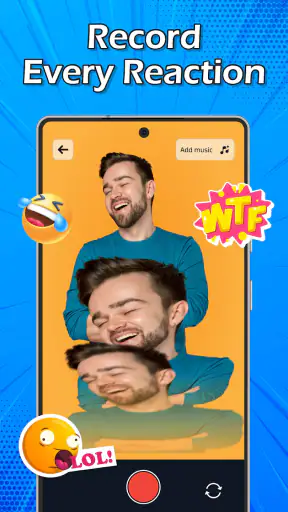

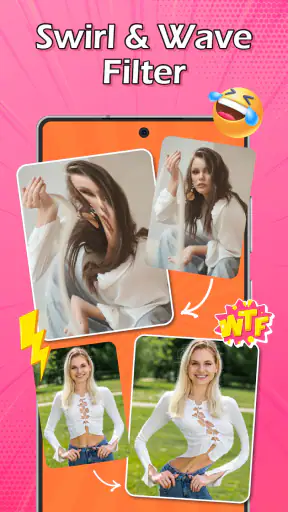
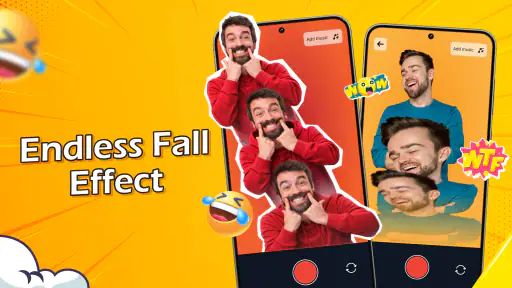

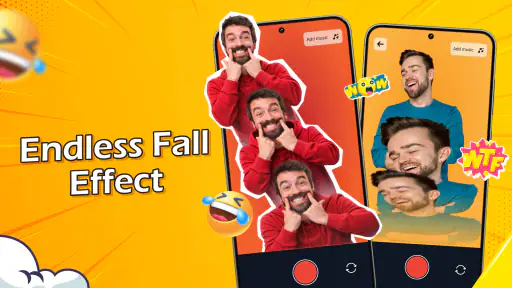
I tried Falling Loop Filter Challenge as a quick entertainment app rather than a serious video editor, and that distinction matters. Its appeal is immediate: you create short looping clips built around falling motion and playful visual effects, then watch the result repeat in a way that is easy to share or show to someone nearby. I can see why it has attracted a broad audience, but I also found that its value depends heavily on what you want from a video tool. If you want fast, amusing experiments, it is approachable. If you need detailed editing control, a polished production workflow, or careful separation between different users on one device, you should set expectations before installing it.
The app comes from Nexify Forge and sits in the entertainment category. It is free to install, with optional purchases priced from $4.99 to $19.99 per item. The age label is Everyone, which makes it suitable for casual household use in principle, although an age label should not replace an adult’s judgment about how children use any camera or sharing-focused app. The current version is 1.0.6 and works on Android 7.0 or later. On the store, it has a 4.4 average from around 29 thousand ratings and has passed one million installs, so this is not an obscure experiment that only a handful of people have tried.
How the app feels when several people share one device
The most natural way I used it was in short sessions with another person nearby. One person records or prepares a clip, the other suggests a movement or visual idea, and then both watch the loop to see whether the timing feels funny. That shared reaction is more important here than technical precision. A falling motion can look surprisingly different when the starting pose, background, and speed of movement change, so the app works well as a small activity rather than something you open with a long editing plan.
For a household tablet or a phone that moves between family members, I would treat each finished clip as belonging to the person who made it. That sounds obvious, but shared devices make it easy to mix up drafts, overwrite work, or publish something under the wrong person’s expectations. I recommend agreeing on a simple routine: decide whose turn it is, create one clip, review it together, and save or share it before handing the device over. The app is more enjoyable when the session has a clear beginning and end.
It is also worth remembering that a loop can make a harmless movement feel more dramatic because the action repeats. Before showing a clip outside the household, I would watch it several times and check the background, faces, clothing, and anything visible behind the subject. This is especially useful when children or guests are involved. The entertainment is quick, but the decision to share should still be deliberate.
What makes the falling effect work
The central idea is simple enough for a first attempt. You create a short visual moment, apply the app’s motion-focused treatment, and judge the repeated result. The strongest clips are usually not the busiest ones. I got better-looking outcomes by keeping the subject easy to recognize and leaving enough contrast between the person or object and the background. When everything in the frame competes for attention, the falling effect becomes visual noise instead of a joke or a satisfying transition.
A useful trick is to begin with a readable pose rather than an elaborate action. A person standing still, holding a bright object, or making one clear gesture gives the loop a visual anchor. After that, try a more complicated idea. This two-step approach is helpful on a shared device because a younger user can get a result quickly, while an older user can continue experimenting without turning the first attempt into a technical lesson.
I also found that the loop benefits from restraint. If the motion is already the main attraction, adding every available effect can weaken it. I would first make a plain version, watch where the repeat feels abrupt, and only then add another visual change. That workflow saves time and makes it easier to explain to someone else why a particular version works better.
Setting boundaries before anyone starts recording
Because this is a camera-oriented entertainment experience, household boundaries matter more than they might with a simple puzzle or offline arcade game. I would decide in advance whether clips are only for viewing on the device or whether sharing is allowed. I would also make it clear that nobody should record another family member, visitor, or classmate without permission. The app can encourage spontaneous ideas, but consent should not become an afterthought just because the result is meant to be funny.
On a device used by several people, I would avoid leaving a session open when switching users. Review the clip, finish the task, and return to the device’s normal home screen before giving it to someone else. This is not a claim about a special account system inside the app; it is simply a practical way to keep one person’s creative work from being mistaken for another person’s. It also helps prevent accidental sharing or unwanted edits when the phone is passed around quickly.
Adults may also want to handle purchases themselves. The app is free, but optional items can cost between $4.99 and $19.99 each. I would not hand over a shared device with a vague instruction to “be careful” and assume that is enough. Decide who approves purchases, and make that expectation clear before children begin experimenting. The creative feature may be the focus, but the purchase boundary is part of responsible shared use.
Another good boundary is time. Falling Loop Filter Challenge is easy to open for “one more try,” especially when a clip is almost funny but not quite right. For a family session, a small limit keeps the app from taking over the evening. I prefer using it for a defined challenge, such as making one clip with a simple pose and one with an everyday object, rather than leaving it running indefinitely.
Coordinating ideas without turning fun into a production meeting
The app works best when people coordinate lightly. Before recording, agree on the subject, the background, and the mood. A plain wall or uncluttered room is usually easier to read than a busy space. If two people are participating, decide who is the subject and who is handling the device. Switching roles for the second attempt gives everyone a fair chance without creating confusion halfway through the first clip.
For a realistic household example, imagine a parent preparing dinner while two children want to make a short loop in the living room. I would ask them to choose one safe, stationary spot, keep the camera away from the cooking area, and make a clip that uses a simple movement instead of running or jumping. The children can suggest the idea, one can perform, and the other can help review the result. That turns the app into a supervised creative break rather than an excuse to move around a crowded room with a phone.
Coordination is also useful when the device belongs to one person but is used by several. Ask the owner before changing an existing project, and do not assume a funny clip is available for public sharing just because it appears on the screen. I would create a separate naming habit for saved work if the device supports ordinary file organization, such as using a person’s initials or a simple date label. That advice is about keeping household media understandable, not about claiming that the app provides profiles or folders of its own.
When several people are judging a clip, agree on what “better” means. Is the goal a clear falling illusion, a funny reaction, or a smooth repeat? Without that decision, one person may prefer a dramatic effect while another prefers a clean loop. The app becomes more satisfying when the group evaluates the result against a shared idea instead of adding effects randomly.
Age, trust, and the difference between a label and supervision
The Everyone content rating makes the app approachable for general audiences, and I think younger users can understand the basic creative idea quickly. Still, the rating does not answer every household question. It does not tell you whether a child is ready to appear on camera, whether they understand permission, or whether they know the difference between keeping a clip on a device and sharing it with others. Those are family decisions.
For younger children, I would use the app beside them at first. Show them how to frame a safe scene, explain that people must agree before being recorded, and review the finished result together. The review step is valuable because it teaches children to notice more than whether a clip is amusing. They can learn to check who appears in the frame, what is visible in the background, and whether the motion looks safe to imitate.
Older children and teenagers may want more independence, but trust should still be specific. I would be comfortable with a rule such as “you may create clips alone, but ask before sharing anyone else,” rather than a vague assumption that every use is fine. If the device is shared with siblings, make it clear that one person’s private recording should not be opened, edited, or shown around without permission.
I would also avoid presenting the app as a substitute for a social platform. Its strongest use is making and reviewing a small visual idea. If the main motivation is chasing reactions, copying risky stunts, or filming people who did not agree, this is the wrong direction. The falling theme can be playful without encouraging anyone to fall physically, and that distinction should be explicit with children.
Where it beats ordinary alternatives, and where it does not
Compared with a standard camera app, this tool is more focused. A normal camera gives you a blank starting point, while Falling Loop Filter Challenge points you toward a particular kind of repeated motion. That focus is a strength for beginners who do not want to learn a full editor. You can begin with an idea instead of staring at a timeline and wondering which effect to choose.
Compared with a general social video editor, it is also less intimidating. A large editor may provide trimming, layers, captions, sound adjustments, and many export decisions, but those choices can bury a simple joke. Here, the falling-loop concept gives a household group a clear activity. The trade-off is control: if you want exact timing, detailed compositing, serious audio work, or a carefully branded video, a fuller editor is the better choice.
Compared with a looping tool designed mainly for polished animation, this app feels more casual and immediate. That makes it suitable for a quick challenge between friends or family members, but less suitable when consistency matters across a series of clips. I would choose it for experimentation, not for a professional content calendar or a project that needs a repeatable visual identity.
The most important comparison is therefore not “which app has more effects?” but “how much control do I need?” Falling Loop Filter Challenge wins when the desired result is a short, playful visual experiment. It loses when the user needs a complete production workspace. Knowing that before installation prevents disappointment and also keeps the app in its proper role: a focused entertainment tool.
Small workflow choices that improve the results
My first practical recommendation is to test the framing before making the real clip. Hold the device steady, check the edges of the image, and make sure the subject has enough room for the motion to read. A few seconds of preparation is more useful than repeatedly correcting a clip after the fact.
Second, make two versions with only one change between them. For example, keep the subject and background the same but alter the pose, or keep the pose and simplify the background. This makes the creative process easier to understand, especially for children, because the group can see exactly what caused the improvement.
Third, use the review stage as a privacy check, not just a quality check. Look for house numbers, school clothing, personal documents, mirrors, or other people entering the frame. A loop repeats details that might be overlooked in a single glance. I would remove or redo a clip if the background reveals more than intended.
Finally, keep the best attempt rather than every attempt. Shared devices become cluttered quickly when every failed experiment remains available. A short cleanup at the end of a session makes the next person’s experience less confusing and reduces the chance of showing an unfinished or embarrassing clip by mistake.
What version and cost mean in everyday use
Version 1.0.6 suggests a relatively early stage for the product, so I approached it as a focused app that may still be developing rather than as a mature editing suite. That does not prevent it from being enjoyable now, but it does affect how I would use it. I would keep expectations centered on its core falling-loop entertainment instead of assuming it can replace every video tool on the phone.
The free entry point is helpful for trying the basic experience with a household group. You can decide whether the concept is actually fun before spending anything. Since optional items are sold individually within the stated price range, I would wait until the app has become part of a regular creative routine before considering a purchase. A child’s excitement during the first session is not enough reason to buy an add-on immediately.
Compatibility with Android 7.0 or later also makes it accessible on older Android devices, which is useful if a family keeps a previous phone or tablet for shared entertainment. Even so, the experience will depend on the particular device’s camera and general performance. I would test it on the actual household device rather than assuming that a newer phone and an older tablet will feel identical.
My household verdict
I recommend Falling Loop Filter Challenge for people who want a simple, visual activity that can be enjoyed in short bursts. It is especially appealing when two or more people are willing to suggest ideas, take turns, and review the results together. The focused falling-loop concept gives beginners a clearer starting point than a blank camera or a complicated editor, and the free installation makes it easy to judge the fit before spending money.
I would skip it if your priority is advanced editing, precise production control, or a private multi-user workspace with clearly separated identities. I would also skip it for unsupervised use by children who are not ready to understand recording permission and sharing boundaries. The Everyone label is reassuring for general content, but household trust still depends on how the device is managed and how clips are handled.
My final view is positive, with practical limits. The best experience comes from treating it as a supervised creative challenge, not as a complete video studio. Give each person a clear turn, keep the scene safe and uncluttered, review clips before sharing, and let an adult manage optional purchases. Used that way, this entertainment app offers enough immediacy to make a shared phone session genuinely fun without demanding a long tutorial or a serious editing commitment.


